
Import your first hands
How to import all your hands, live or after the fact.

Gandalf
Co-founder of Poker Spin Tracker

Before reading a single number, your hands have to be in Poker Spin Tracker. There are two ways to import them: live, while you play, and manually, for hands already on your computer.
The simplest: manual import once, to bring in your history, then live import day to day, if your room allows it. This chapter tells you which one your room accepts, and the few settings to make before playing.

1. Supported rooms
Poker Spin Tracker reads Spins from Winamax, PokerStars, Unibet, Betclic, GGPoker, ACR and the rooms of the iPoker network (PMU, PartyPoker...). All of them can be imported manually. Live import, on the other hand, depends on your room:
| Room | Live import |
|---|---|
| Winamax | Yes, folder found automatically |
| PokerStars | No, since November 8, 2026, by decision of PokerStars |
| Unibet | Unibet.fr only, folder found automatically |
| iPoker | Some of the rooms (PMU's folder found automatically) |
| GGPoker | No, manual import |
| Betclic | No, manual import |
| ACR | No, manual import |
No need to sort your files: Poker Spin Tracker recognizes each file's room, also reads PokerTracker 4 and Hand2Note exports, and ignores anything that isn't a hand history.
Your room isn't on the list? Write to us (on Discord, for example) and we'll look into adding it.
2. Live import
Live import is the day‑to‑day mode: set up once, it imports your hands while you play, without you having to think about it. Poker Spin Tracker watches the folder where your room writes your histories.
It only works with rooms that allow it: Winamax, Unibet.fr and some of the iPoker network (PMU in particular).
The setup, once and for all
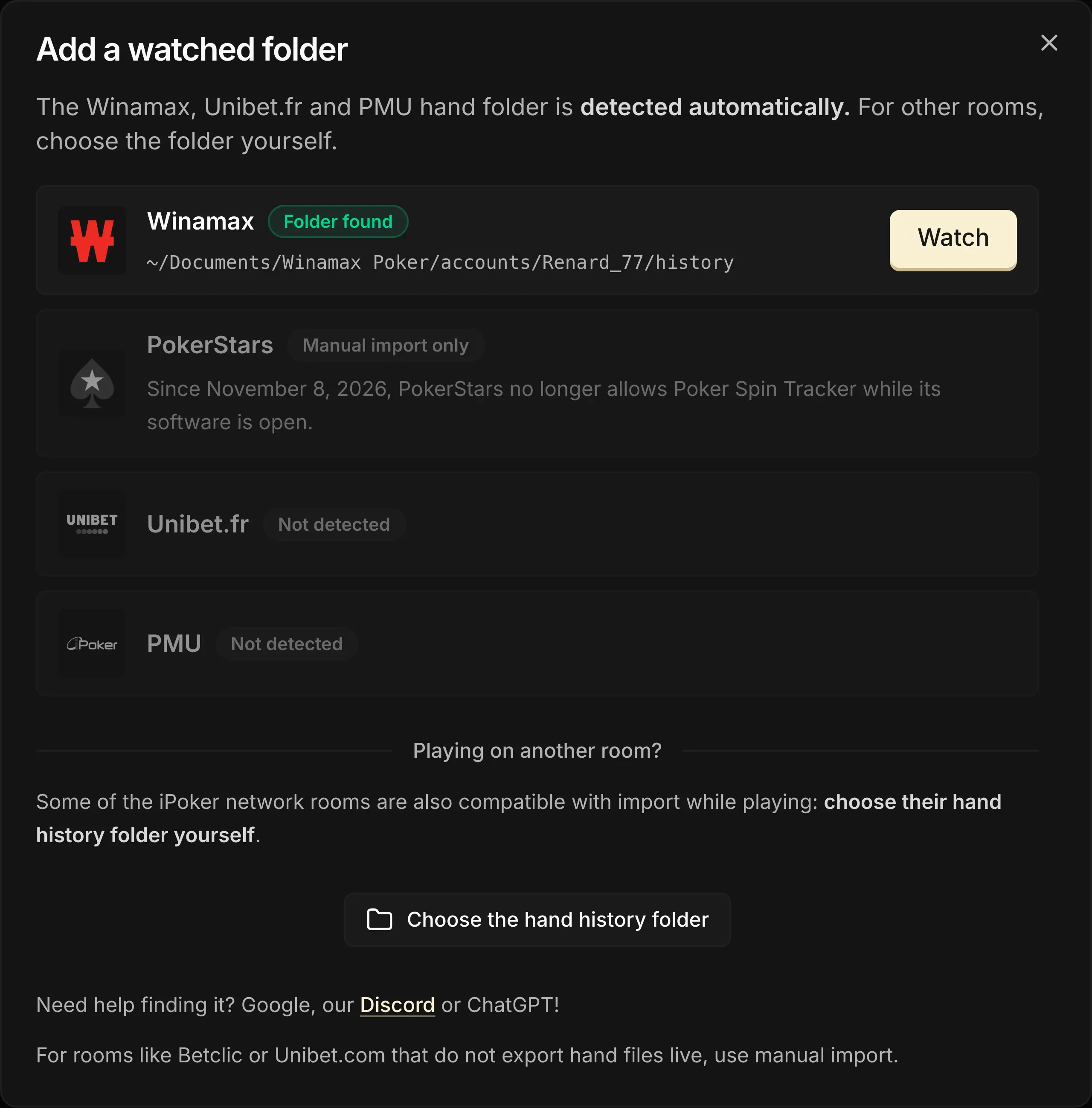
- On the Imports page, Import while playing card, click Add a folder to enable monitoring.
- The folder for Winamax, Unibet.fr and PMU is found automatically: click Watch next to your room. For another room, click Choose the hand history folder and select it yourself.
Monitoring switches on as soon as the folder is added. You play on several rooms? Add a folder for each one.
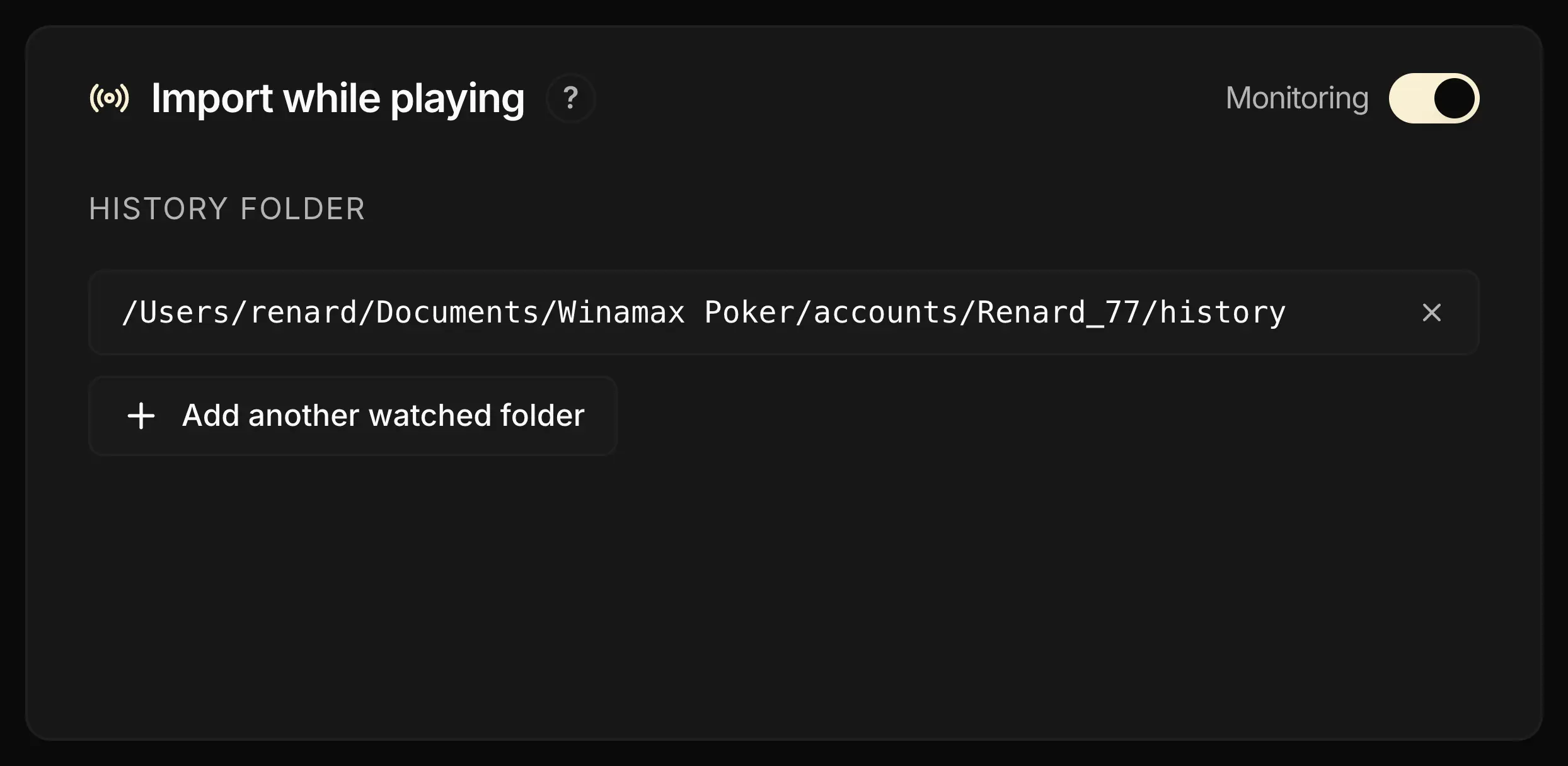
After that, nothing more to do: from your first Spin, Poker Spin Tracker imports your hands as the game goes on, and the Copilot opens to follow your session.
One condition: Poker Spin Tracker must be open while you play. Hands played with the software closed stay in your room's folder: you'll get them back with manual import.
The session stops on its own after 5 minutes without a new hand, or with one click on End session now. Its summary then opens on the Imports page: tournaments, profit, table quality, preflop accuracy...
Your room has no live import?
Switch on the Mini Copilot, the toggle on the Manual import card, while you play: it shows your session timer and an RNG. On Betclic and GGPoker, copy a hand's ID in the client: it'll be a favorite once your hands are imported.
3. Manual import
Manual import serves in three cases: bringing in your history the first time, importing hands from a room without live import, and recovering hands played with the software closed. Three ways, on the Manual import card:
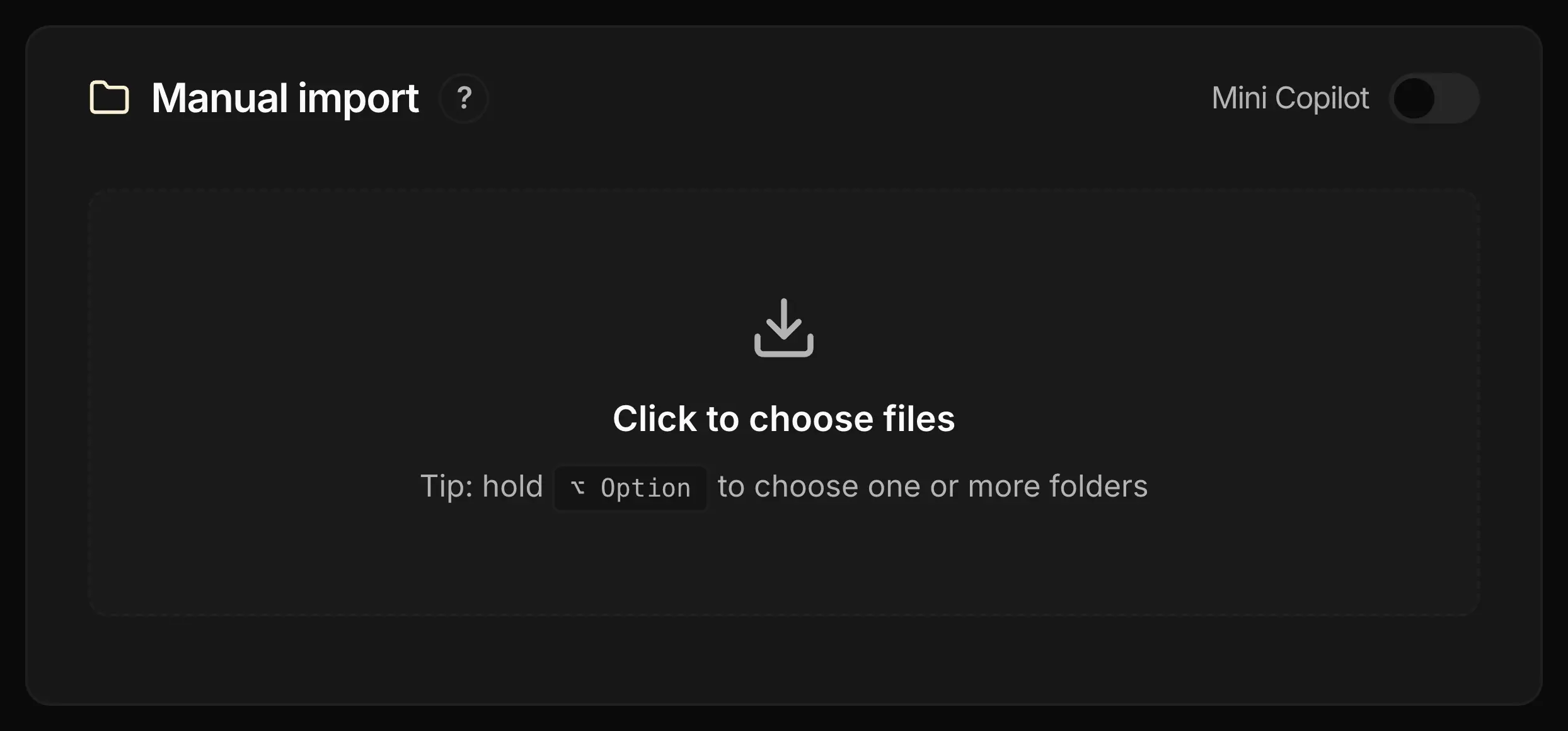
- Drag and drop files or folders straight into the import area
- Click to open the file picker
- Option (⌥) + click on Mac (Alt + click on Windows) to open the folder picker, and import all their contents in one go
The safest: import your room's entire folder, rather than files picked one by one. Several rooms store each Spin's result (buy‑in, multiplier, winnings) in a separate file, the summary. On Winamax, for example, without this file Poker Spin Tracker has your hands but not the Spin's result.
A folder is read in full, subfolders included, and a .zip archive can be imported as is. Hands already imported are recognized and counted as duplicates: re‑importing the same folder doesn't skew anything.
An import can't be undone: to remove hands, you have to empty the whole database. So be careful with every import.
How many Spins can you import?
The limit depends on your plan. It counts Spins, not hands, and a Spin already imported only counts once.
| Plan | Import limit |
|---|---|
| Free | 2 000 Spins |
| Standard | 20 000 Spins, buy‑ins up to 5 € |
| Pro | No limit |
The counter is on the Imports page, to the right of the History title. With the Free or Standard plan, the import needs an Internet connection to check it.
An import that would push you over your limit is refused in full. With a big history and the Free plan, import a smaller folder, for example your last few months.
4. Room specifics
Two rooms require a setting before you play, otherwise your hands can't be imported:
- PokerStars and Betfair: Poker Spin Tracker only reads histories in English. In the client, choose Settings > Game History > Save in English, and check that Save My Hand History is enabled.
- Unibet: enable Store hand history locally, otherwise the hand history folder stays empty.
On PokerStars, the setting isn't retroactive: hands already saved in another language will remain unreadable. Do it before your first session.
GGPoker: histories are anonymized, each opponent's nickname changes with every tournament. So there's no way to follow a player from one Spin to another or to classify them as Fish or Reg: on GGPoker, your opponents get the Unknown tag.
Betclic: the room doesn't write your hands while you play. Export them from the client (four exports per day at most), then import them manually.
5. Checking your imports
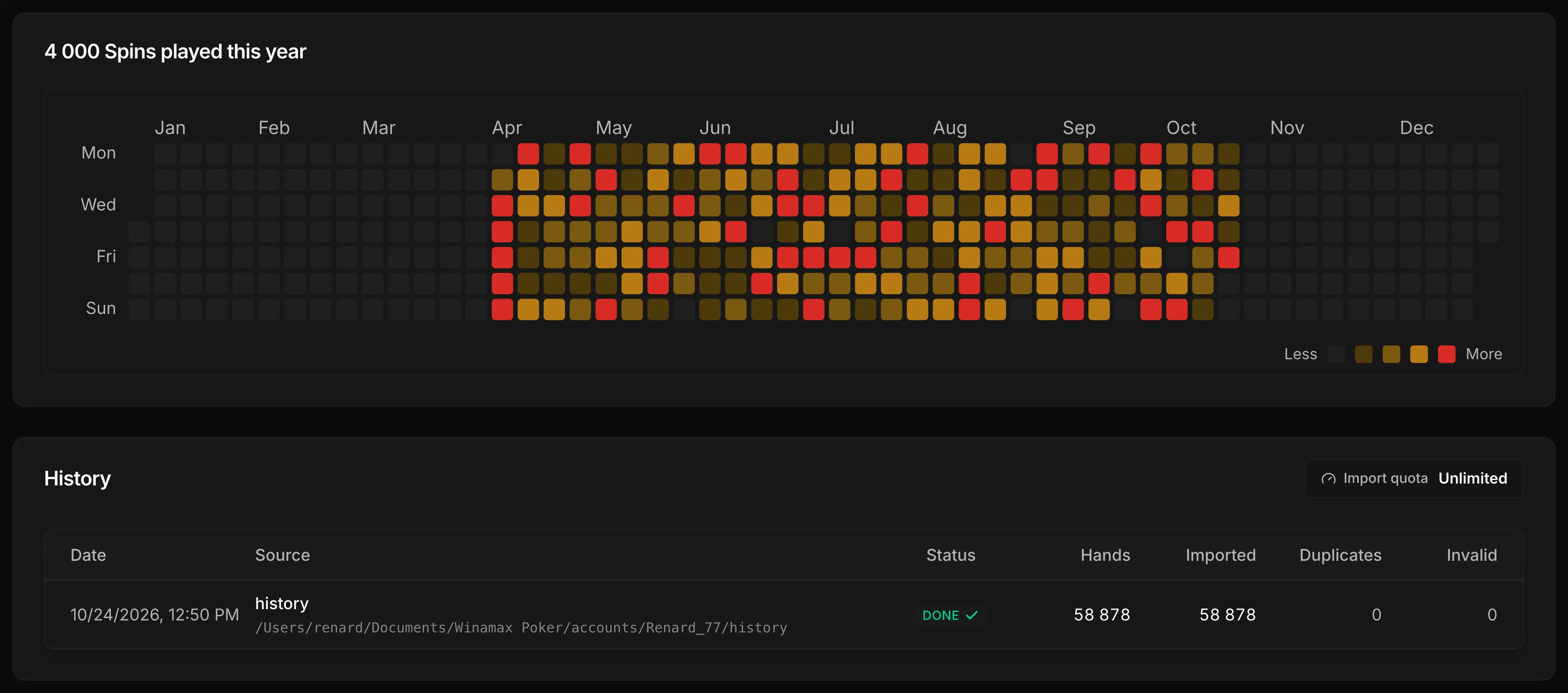
After each import, Poker Spin Tracker opens its summary: tournaments, profit, table quality, preflop accuracy. To check that nothing is missing, the Imports page also keeps two markers.
The heatmap
Each cell is a day of the year: the redder it is, the more you played that day. An empty cell on a day you played signals missing hands, often played with the software closed. Import them manually.
The History table
One row per import, with the hands read, Imported, Duplicates (already in your database) and Invalid. A click on a row reopens its summary.
If you haven't imported any hands yet, now is the time to get started! Even a small file is enough to begin exploring Poker Spin Tracker.